A Custom Web App for a Small Business
From WhatsApp and paper to a real workflow
Tech stack
I built this app for porteroelectrico.com, a small Buenos Aires company that installs and maintains intercoms and IP entry systems. Before this, technicians got their daily jobs through WhatsApp, logged their work on paper, and the office had no reliable way to track what got done, when, or with what evidence. Not ideal.
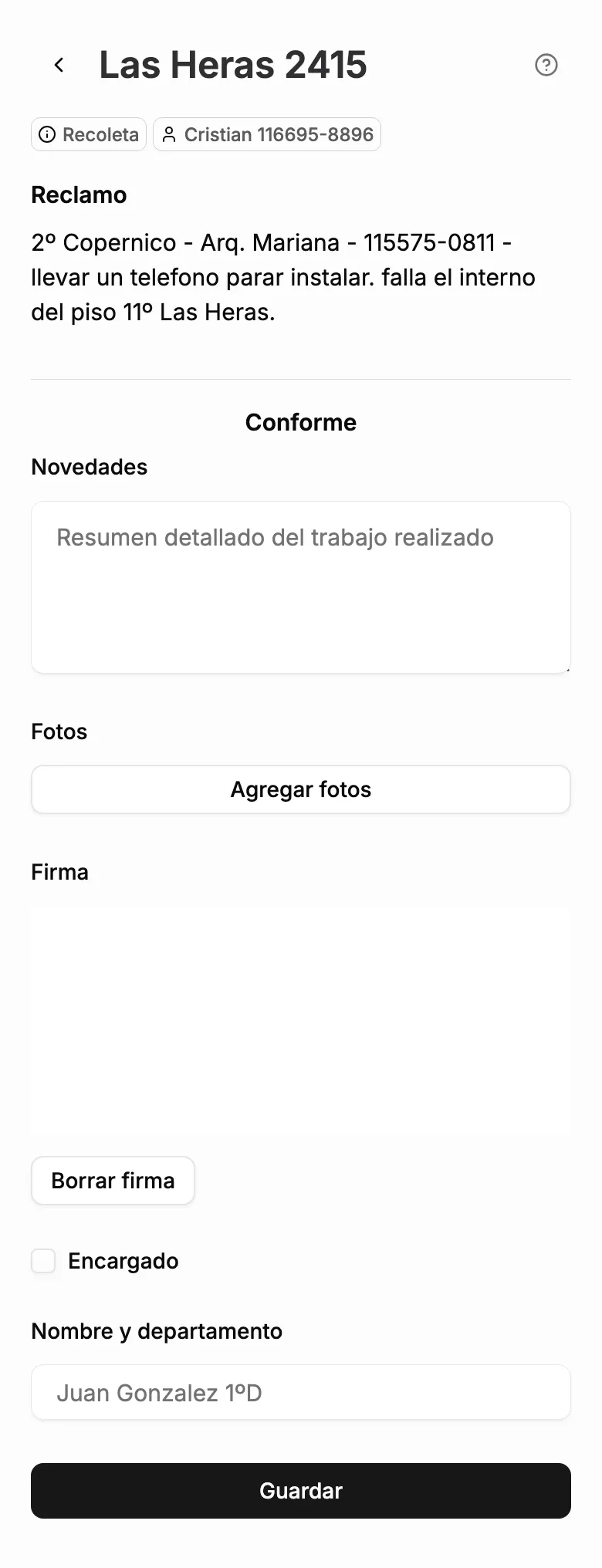
The goal was simple: give technicians a clean mobile interface to see their jobs for the day, log what they did, capture a digital signature, and attach photos or videos — all from their phone. No friction, no training required.
What is it?
A hybrid Next.js app that lives in a single codebase but serves two very different audiences. The public-facing side is a marketing site for the business. The private side, behind /app, is a protected technician tool that talks to Airtable, PostgreSQL, and Supabase.
The two parts share routing, infrastructure, and deployment. In practice they barely overlap, which keeps things clean.
How it works
The app has three main screens for technicians:
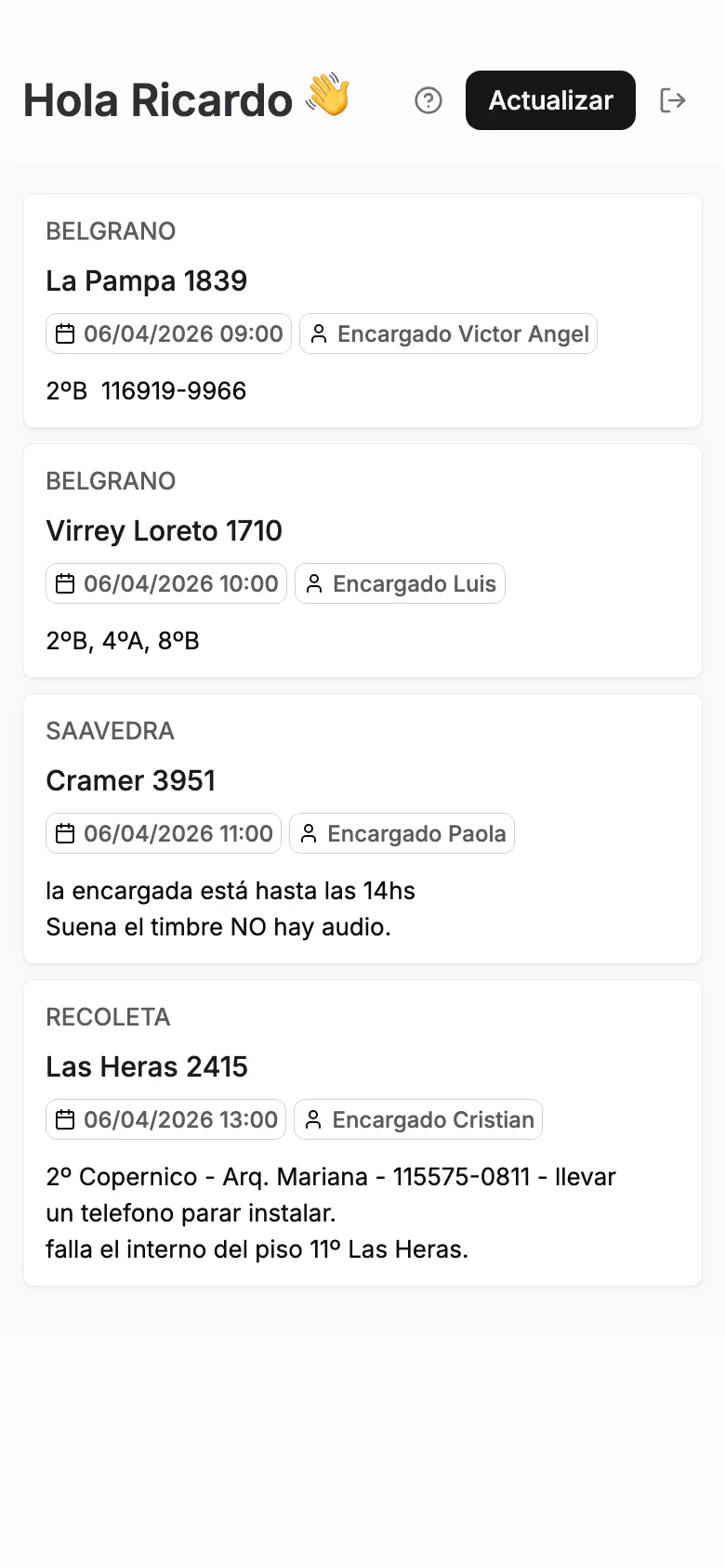
Dashboard (/app/hoy): A list of today's assigned jobs, pulled from Airtable in real time. Only the jobs assigned to the logged-in technician show up, resolved by mapping their session username to an Airtable employee ID server-side.
Job detail (/app/hoy/[id]) — Tapping a job opens the full detail: building name, job notes, and the work completion form. Technicians fill in what they did, any clarifications, draw a digital signature on a canvas (saved as PNG), and attach up to 5 photos or videos.
Admin panel (/app/admin) — A separate view for managing users.
A few decisions worth explaining
Airtable as the source of truth for jobs. The business has been running on Airtable for three years — three bases, tens of thousands of rows of jobs, buildings, and client records built up over time. It's not a placeholder; it's the real operational backbone. The app connects to that existing data rather than duplicating it. Technicians complete jobs through the app, and the records update in the same Airtable the ops team has always used.
Username-based auth. Technicians log in with simple usernames (ricardo, nahuel) not email addresses. Easier for a non-technical field team to remember, and Better Auth's username plugin made it straightforward to wire up without giving up a proper PostgreSQL-backed session store underneath.
Direct browser-to-Supabase uploads. Routing photo and video uploads through Next.js API routes would have hit payload size limits and added unnecessary latency. Instead, the server issues short-lived signed URLs, and the browser uploads directly to Supabase Storage. Next.js only handles the URL generation and the final Airtable PATCH. Cleaner and faster.
Three storage layers, each doing one thing. PostgreSQL handles users and sessions. Airtable owns the job data because the ops team controls it. Supabase Storage handles binary files because it's cheap, scalable, and designed for exactly that.
What's next...
- Building history. Right now, when a technician arrives at a job, they're going in blind, no record of what's been done at that address before. The plan is to add a building-level history view so they can look up previous jobs for that location before starting work. Cabello 3224 had a similar intercom issue six months ago? Now you'd know.
- PDF job reports. Some building administrators require a formal summary after each job: what was done, by whom, with the technician's notes and signature attached. The plan is to auto-generate that PDF from the job data and make it ready to send directly from Airtable.
- Caching and load times. The app currently fetches from Airtable on every request. For most things that's fine, but as usage grows I want to add a caching layer on the Next.js side to reduce API calls, stay under rate limits, and make the whole thing feel snappier for technicians in the field.